
If you use public transport in Abu Dhabi, you’ll need a valid Hafilat card.
Below, you’ll find a complete guide with a map and list of all official recharge points, including kiosks, Lulu Hypermarkets, exchange offices, and main bus stations where you can easily top up your balance.
Where Buy or Recharge Bus Card: Hafilat Recharge Map
Use the interactive map to find the nearest Hafilat recharge kiosk or counter.
Most locations support cash and card payments, and some even allow self-service recharges 24 hours a day.
List of Official Hafilat Card Recharge Locations
| Location | Neighborhood / Area | Address | Phone |
|---|---|---|---|
| Abu Dhabi Central Bus Station | Al Wahda | Sultan Bin Zayed The First Street (Rashid Bin Saeed Street / 2nd Street), Al Wahda Zone 1, Abu Dhabi | 800850 |
| Al Shahama Bus Station | Al Shahama | GMXP+859 - Al Sinad St - Al Shahama - Al Shahamah New - Abu Dhabi | |
| Baniyas West Bus Station | Bani Yas | Jarn Yafor - West 4 - Abu Dhabi | 800850 |
| Hafilat Top Up Machine in 1728 Naseem Al Barr Street | Mohamed Bin Zayed City - ME11 | 1728 Naseem Al Barr Street - Mohamed Bin Zayed City - ME11 - Abu Dhabi - United Arab Emirates | |
| Mussafah Bus Station | Mohamed Bin Zayed City (MBZ City) | 28 Bu Hadeeth Street, ME12, Mohamed Bin Zayed City, Abu Dhabi | 800850 |
Here are the main recharge locations currently available in Abu Dhabi:
- Lulu Hypermarkets – customer desks and self-service kiosks
- Lulu Exchange branches – recharge by cash or credit card
- Bus stations and terminals – ticket counters accept Hafilat top-ups
- Authorized kiosks – small electronic booths across the city
Each location page includes its address, contact number, opening hours, and live user comments confirming whether the recharge machine is working.
💡 Tips for Fast Hafilat Recharge
- Visit early mornings or weekday afternoons to avoid queues.
- Always check your card balance before boarding.
- Keep a small amount in cash for kiosks that don’t accept cards.
- At large malls like Al Wahda Mall or Khalidiyah Mall, ask the customer service desk for the recharge counter.
- Some kiosks occasionally go offline — check the latest comments from other users on each location page.
🔗 Related Guides
- How to Recharge Your Hafilat Card Online
- How to Check Hafilat Card Balance
- Where to Buy a New Hafilat Card in Abu Dhabi
🚌 Major Bus Stations with Hafilat Recharge
Recharge counters are also available at Abu Dhabi’s main bus terminals:
- Central Bus Station (Al Wahda Mall)
- Mussafah Terminal
- Baniyas Bus Station
- Al Ain Central Station (for intercity routes)
All stations have at least one Hafilat card kiosk or counter.
ℹ️ About Hafilat
The Hafilat card is Abu Dhabi’s official public transport payment card, managed by the Department of Municipalities and Transport (DMT). It can be used on all buses within Abu Dhabi city, suburbs, and Al Ain.
Recharging your Hafilat card regularly ensures smooth travel without interruptions.
🔍 Find a Hafilat Recharge Location Near You
Use the map or browse by category:
- Lulu Hypermarkets
- Lulu Exchange Offices
- Bus Stations
- Self-Service Kiosks
Complete guide with step-by-step instructions for all recharge methods. Keep your Abu Dhabi bus card topped up and never miss a ride.
Start reading to track your progress
Why Recharge Your Hafilat Card?
Essential Information
- Minimum Balance Required: AED 2 for city buses (recommended: AED 10+)
- Maximum Balance Allowed: AED 1,000 per card
- Recharge Amounts: From AED 10 to AED 100 (online), any amount at machines
- Activation Time: Instant (machines/retail) | Up to 24 hours (online)
- Validity: Balance doesn't expire, but card validity is 5-16 years depending on type
Running out of balance on your Hafilat Card can disrupt your daily commute in Abu Dhabi. Fortunately, recharging is quick and convenient with multiple methods available across the emirate. This comprehensive guide walks you through every option, from online recharges to ticket vending machines and retail locations.
Choose Your Preferred Recharge Method
Online Recharge
Recharge from anywhere using the official Hafilat website or mobile apps.
- Available 24/7
- Multiple payment options
- Instant confirmation
- Transaction history
Ticket Vending Machines
Self-service kiosks located throughout Abu Dhabi for quick top-ups.
- Cash & card accepted
- Bilingual interface
- Balance check available
- Instant recharge
Mobile Applications
Use Darbi, Payit, or Botim apps for seamless mobile recharges.
- Recharge on-the-go
- Mobile wallet integration
- Push notifications
- Journey planning
Retail Locations
Visit authorized stores including Lulu, SPAR, and customer service centers.
- Face-to-face assistance
- Cash payments accepted
- Flexible amounts
- Receipt provided
Method 1: Online Recharge via Hafilat Website
Recharge from anywhere with internet connection • 24/7 availability
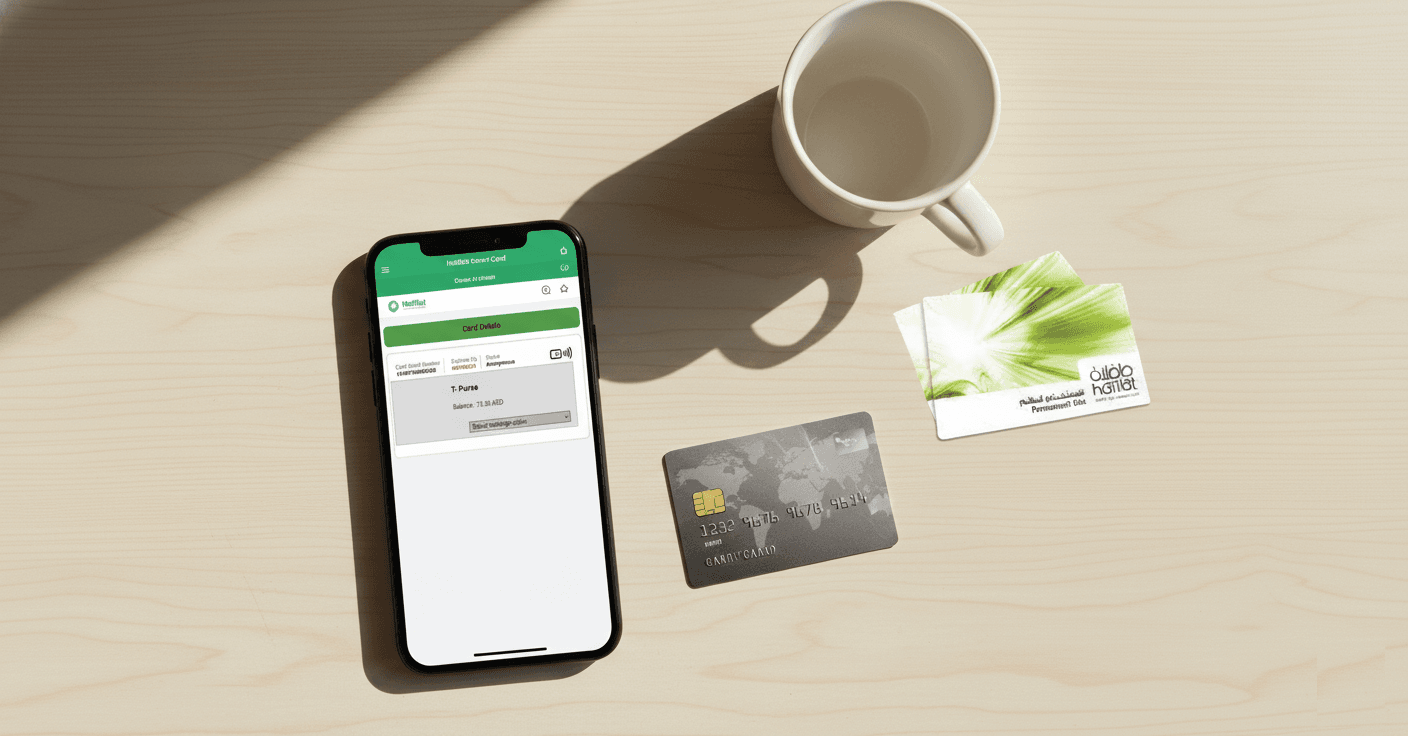
Step-by-Step Instructions:
- Visit the Official Website: Navigate to hafilat.darb.ae using any web browser on your computer or mobile device.
- Select 'Recharge Card': On the homepage, click the 'Recharge Card' button prominently displayed on the interface.
- Enter Card Details: Input your Hafilat card's 15-digit serial number. You'll find this number printed on the back of your card. Double-check for accuracy.
- Verify Card Information: The system will display your card type and current balance. Confirm these details match your card.
- Choose Recharge Amount: Select from preset amounts (typically AED 20, 50, or 100) or enter a custom amount between AED 10-100.
- Select Payment Method: Choose your preferred payment option:
- Credit/Debit Card (Visa, Mastercard)
- Apple Pay
- Google Pay
- Samsung Pay
- Complete Payment: Enter your payment details securely. The website uses encrypted SSL connection for safe transactions.
- Receive Confirmation: After successful payment, you'll receive:
- On-screen confirmation with transaction ID
- Email confirmation (if provided)
- SMS notification (if mobile number registered)
- Balance Activation: Your new balance will be available within 24 hours. For immediate use, tap your card on any bus reader to sync the balance.
💡 Pro Tips for Online Recharge
Save your card number: Take a photo or save your 15-digit serial number securely for faster future recharges. Always verify your email address before confirming payment to receive transaction receipts. If recharging for multiple family members, bookmark the page and keep all card numbers in a secure note app.
Online recharges may take up to 24 hours to reflect on your card. For same-day travel, use TVM machines or retail locations instead.
Payment Security Features:
- PCI DSS compliant payment gateway
- 256-bit SSL encryption
- 3D Secure authentication for cards
- No card details stored on servers
- Instant refund for failed transactions
Method 2: Ticket Vending Machines (TVM)
Quick self-service recharge • Found at all major locations • Instant activation
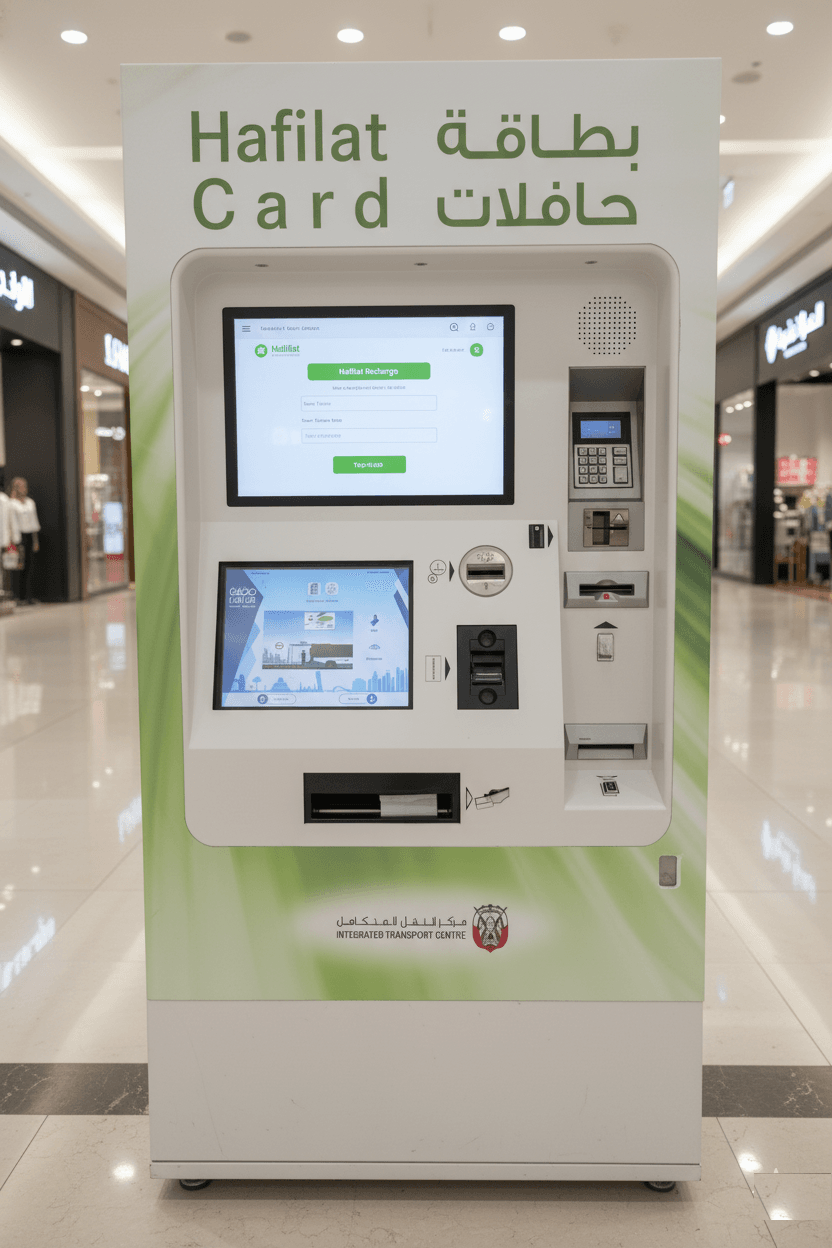
Where to Find TVMs:
- Abu Dhabi Central Bus Station - Al Wahda area (main terminal)
- Major Shopping Malls: Marina Mall, Yas Mall, Al Wahda Mall, Dalma Mall
- Transport Hubs: Abu Dhabi International Airport, ADNOC Distribution stations
- Popular Bus Stops: Corniche, Khalidiya, Al Nahyan, Tourist Club Area
- University Campuses: ADNOC Technical Institute, HCT campuses
Step-by-Step Instructions:
- Locate a TVM: Look for green and white Hafilat-branded machines. They're typically located near bus shelters, in mall common areas, and at transport stations.
- Select Language: Touch the screen and choose your preferred language:
- English
- Arabic (العربية)
- Choose 'Top-Up' or 'Recharge': On the main menu, tap the 'Top-Up Card' or 'Recharge' option (wording may vary).
- Insert or Tap Your Card: Either:
- Insert card into the designated slot, OR
- Tap card on the contactless reader (look for the wave symbol)
- View Current Balance: The machine will display your current balance and card information. Verify this is your card.
- Enter Recharge Amount: You can:
- Select a preset amount (AED 10, 20, 50, 100), OR
- Enter a custom amount using the on-screen keypad (minimum AED 5)
- Choose Payment Method:
- Cash: Insert bills (AED 5, 10, 20, 50, 100, 200 notes accepted)
- Credit/Debit Card: Insert or tap your bank card when prompted
- Complete Transaction:
- For cash: Machine provides change automatically
- For card: Follow PIN entry prompts or tap for contactless
- Collect Receipt: Always take your printed receipt showing:
- Transaction date and time
- Amount recharged
- New balance
- Transaction reference number
- Retrieve Your Card: Don't forget to take your Hafilat card from the machine! The balance is immediately available for use.
💡 TVM Pro Tips
Avoid peak hours: TVMs at major stations can have queues during morning (7-9 AM) and evening (5-7 PM) rush hours. Mid-day recharges are typically faster. If the machine doesn't accept your cash bill, try another bill or use a card payment instead. Always ensure you retrieve both your receipt and card before walking away.
Troubleshooting Common TVM Issues:
| Issue | Solution |
|---|---|
| Card not recognized | Clean your card, try tapping instead of inserting, or use a different TVM |
| Cash not accepted | Use crisp, undamaged bills; try smaller denominations or card payment |
| Machine frozen/unresponsive | Wait 30 seconds, press 'Cancel' repeatedly, or find nearest alternative TVM |
| Payment deducted but no recharge | Keep receipt, call customer service at 600-535353 immediately |
Method 3: Mobile Applications (Darbi, Payit, Botim)
Recharge on-the-go • Push notifications • Journey planning included
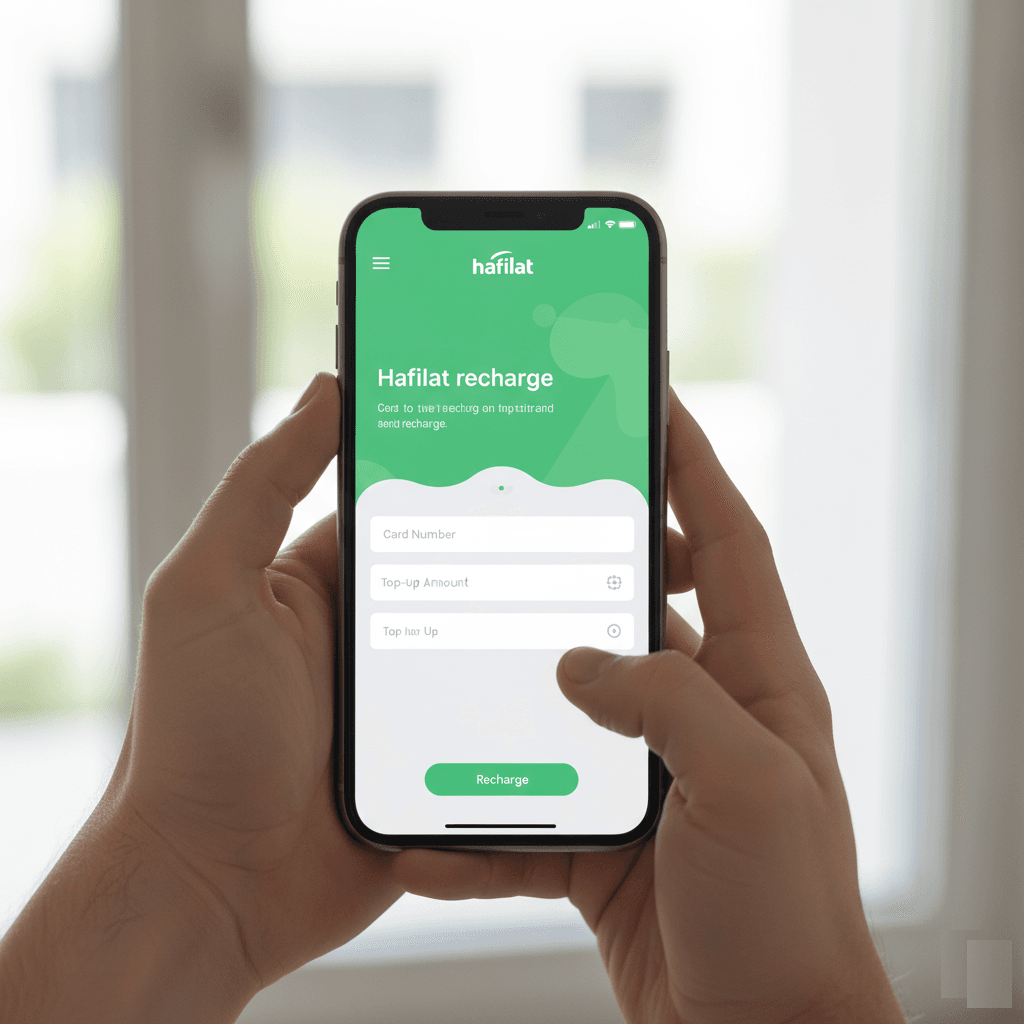
Available Mobile Applications:
| App Name | Features | Best For | Download |
|---|---|---|---|
| Darbi (Official) | Hafilat recharge, journey planner, real-time bus tracking, DARB toll management | Complete transport solution | Android | iOS |
| Payit | Hafilat recharge, bill payments, mobile recharge, P2P transfers | All-in-one wallet app | Official Site |
| Botim | Hafilat recharge, video calls, bill payments, chat | Communication + payments | Official Site |
Detailed Guide: Recharging via Darbi App
- Download the App:
- Android: Search "Darbi" in Google Play Store or click here
- iOS: Search "Darbi" in App Store or click here
- Install and Register:
- Open the app after installation
- Create an account using your email address or mobile number
- Verify via OTP (One-Time Password) sent to your email/phone
- Set a secure password
- Navigate to Hafilat Section:
- On the home screen, look for "Public Transport" or "Hafilat" section
- Tap on "Hafilat Card Recharge" or "Top-up"
- Enter Card Details:
- Input your 15-digit Hafilat card serial number
- Option to save card for future quick recharges
- Verify current balance displayed
- Select Recharge Amount:
- Choose from preset options (AED 20, 50, 100)
- Or enter custom amount (AED 10-100)
- Choose Payment Method:
- Credit/Debit Card (saved cards or new card)
- Mobile wallet balance (if funded)
- Apple Pay / Google Pay
- Linked bank account
- Confirm and Pay:
- Review transaction summary
- Complete payment authentication
- Receive instant notification
- Transaction Confirmation:
- View confirmation screen with transaction ID
- Receive push notification
- Check transaction history in app
- Balance updates within 24 hours (tap card on reader to sync immediately)
💡 Mobile App Advantages
Set up balance alerts: Most apps allow you to enable notifications when your balance drops below AED 10, ensuring you never run out of credit. Save multiple family members' card numbers in the app for quick batch recharging. Enable biometric login (fingerprint/Face ID) for faster access.
Additional Darbi App Features:
- Journey Planner: Enter origin and destination to get optimal bus routes
- Real-Time Tracking: See live bus locations and estimated arrival times
- Route Maps: Interactive maps showing all Abu Dhabi bus routes
- Fare Calculator: Check fare before traveling
- Service Alerts: Get notified about route changes and delays
- DARB Toll Management: Manage your toll gate account in same app
Method 4: Authorized Retail Locations
Face-to-face service • Cash accepted • Immediate recharge

Where to Recharge at Retail Locations:
Authorized Retail Partners
- Lulu Hypermarkets & Lulu Exchange: All branches in Abu Dhabi, Al Ain, and Al Dhafra
- Abu Dhabi Co-operative Society (SPAR): All SPAR stores across the emirate
- Al Ain Co-operative Society: Supermarkets in Al Ain region
- Al Dhafra Co-operative Society: Western region outlets
- Customer Happiness Centers: Abu Dhabi Central Bus Station, Airport Terminal
- ADNOC Distribution Stations: Selected locations with convenience stores
Step-by-Step Instructions:
- Locate Nearest Retail Partner: Use the interactive map below or visit the official ITC website for complete location list.
- Visit the Customer Service Counter:
- At Lulu: Go to the customer service desk (usually near entrance)
- At SPAR: Look for the counter or kiosk near checkout
- At Bus Stations: Visit the Customer Happiness Center
- Request Hafilat Recharge: Tell the staff member: "I'd like to recharge my Hafilat card" (or in Arabic: "أريد إعادة شحن بطاقة حافلات")
- Hand Over Your Card: Give your Hafilat card to the staff member. They will scan or tap it on their system.
- Specify Amount: Tell them how much you want to load:
- Minimum: Typically AED 10
- Maximum: AED 100 per transaction (can do multiple transactions)
- You can request any amount within this range
- Make Payment:
- Cash: Pay the exact amount in UAE Dirhams
- Card: Some locations accept debit/credit card payment
- Wait for Processing: The staff member will:
- Process the recharge (usually takes 10-30 seconds)
- Confirm the transaction on their system
- Print a receipt
- Receive Receipt and Card:
- Take your recharged Hafilat card
- Collect the printed receipt showing:
- Date and time of recharge
- Amount added
- New balance
- Transaction reference number
- Outlet name and location
- Verify Balance: Your new balance is immediately active. You can verify by:
- Asking staff to check on their system
- Tapping at nearest TVM to display balance
- Using it on your next bus ride
💡 Retail Location Tips
Best times to visit: Weekday mornings (10 AM-12 PM) have shorter queues at retail locations. Avoid weekend evenings and public holidays when supermarkets are busiest. Customer service centers at bus stations are ideal for troubleshooting card issues beyond simple recharges. Always keep your receipt until you've verified the balance on your next trip.
What to Do If There's an Issue:
- Payment taken but no recharge: Keep your receipt and immediately ask the staff to check the transaction. If unresolved, call ITC customer service at 600-535353.
- Wrong amount loaded: Point out the error immediately before leaving the counter. Staff can issue a refund or adjustment.
- Card not recognized: Card might be damaged. Ask staff to check if card is valid. You may need a replacement card from Customer Happiness Center.
- Store doesn't offer recharge: Not all branches participate. Ask staff to direct you to nearest participating location.
Find Hafilat Recharge Locations Near You
This interactive map shows TVM machines, retail partners, and customer service centers across Abu Dhabi where you can recharge your Hafilat card. Click on markers for details including operating hours and available services.
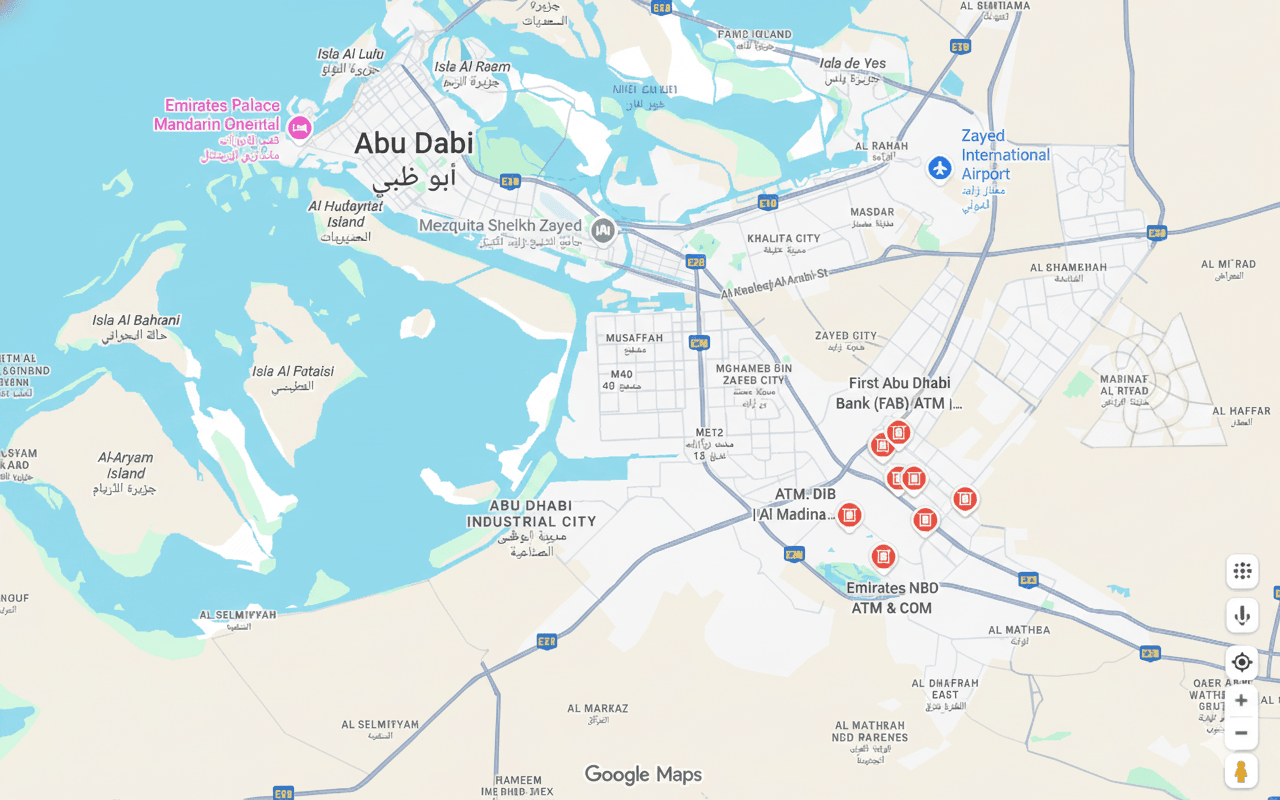
Note: Map shows major locations. For complete list of all TVM machines and retail outlets, visit the official Darbi website or use the Darbi mobile app's location finder.
Compare All Recharge Methods
Choose the recharge method that best fits your situation. Here's a side-by-side comparison to help you decide:
| Method | Availability | Activation Time | Payment Options | Min/Max Amount | Best For |
|---|---|---|---|---|---|
| Online Website | 24/7 Anywhere | Up to 24 hours | Credit/Debit cards, Apple Pay, Google Pay, Samsung Pay | AED 10-100 | Planning ahead, convenience |
| TVM Machines | 24/7 At locations | Instant | Cash, Credit/Debit cards | AED 5-any amount | Same-day travel, flexibility |
| Mobile Apps | 24/7 Anywhere | Up to 24 hours | Mobile wallet, Cards, Bank account | AED 10-100 | On-the-go, multiple cards |
| Retail Locations | Store hours | Instant | Cash, some accept cards | AED 10-100 | Assistance needed, cash payment |
💡 Recommendation
For immediate travel: Use TVM machines or retail locations for instant activation. For regular commuters: Set up mobile app with saved card and enable auto-recharge alerts. For tourists: Retail locations offer face-to-face assistance and immediate confirmation.
How to Check Your Hafilat Balance
Multiple ways to verify your card balance before and after recharge

Five Ways to Check Your Balance:
- On the Bus:
- When boarding, tap your card on the reader
- The screen displays your remaining balance immediately
- Remember to tap again when alighting
- Pro: Real-time, no extra effort
- Con: Only works when traveling
- At TVM Machines:
- Insert or tap your card at any TVM
- Select "Check Balance" or "Balance Inquiry"
- Balance displays on screen
- Can request printed receipt with balance
- Pro: Accurate, provides receipt
- Con: Must locate a TVM
- Online via Hafilat Website:
- Visit hafilat.darb.ae
- Click "Check Balance"
- Enter your 15-digit card serial number
- View current balance and transaction history
- Pro: Access from anywhere, see history
- Con: May not reflect very recent transactions
- Through Mobile Apps:
- Open Darbi, Payit, or Botim app
- Navigate to Hafilat section
- Enter card number or select saved card
- Balance displays instantly
- Enable push notifications for low balance alerts
- Pro: Convenient, alerts available
- Con: Requires app installation and registration
- At Retail Locations or Customer Centers:
- Hand your card to staff at Lulu, SPAR, or bus station
- Request balance check
- They'll scan and show you current balance
- Free service, no purchase required
- Pro: Personal assistance, can ask questions
- Con: Limited to store hours
Online and app balance checks may take up to 24 hours to reflect recent recharges or trips. For most accurate real-time balance, use TVM machines or check when boarding a bus.
💡 Smart Balance Management
Set a minimum balance reminder: Always maintain at least AED 10 on your card to avoid being unable to board. Enable low-balance notifications in mobile apps. Check your balance every Sunday evening to plan your week ahead. If your balance seems incorrect, check within 48 hours - disputes are easier to resolve with recent transactions.
Frequently Asked Questions
How long does it take for a recharge to appear on my card?
Instant (TVM & Retail): Recharges at ticket vending machines and retail locations are immediate. Your new balance is available right away.
Up to 24 Hours (Online & Apps): Online website and mobile app recharges can take up to 24 hours to sync. However, you can activate them immediately by tapping your card on any bus reader or TVM machine after the payment is confirmed.
Pro Tip: If you recharged online and need to travel immediately, tap your card at the nearest TVM or bus reader to force a sync.
What if my payment was deducted but my card wasn't recharged?
First, wait 24 hours for the transaction to process (especially for online/app recharges). If balance still doesn't appear:
- Keep your transaction receipt/confirmation email
- Note the transaction reference number
- Contact ITC Customer Service immediately:
- Phone: 600-535353 (8 AM - 8 PM)
- Email: [email protected]
- WhatsApp: +971 2 418 0000
- Provide your card serial number and transaction details
Refunds for failed transactions typically process within 3-5 business days.
Can I recharge someone else's Hafilat card?
Yes, absolutely! You can recharge any Hafilat card as long as you have:
- The physical card (for TVM and retail recharges), OR
- The 15-digit serial number (for online and app recharges)
This is perfect for:
- Parents recharging children's cards
- Employers topping up staff transportation cards
- Family members helping elderly relatives
- Tourists asking friends to recharge for them
Note: For personalized cards, no additional verification is required for simple recharges. Only the card/serial number is needed.
Is there a maximum amount I can load at once?
Maximum balance per card: AED 1,000 total
Per transaction limits vary by method:
- Online Website: AED 10 minimum, AED 100 maximum per transaction
- Mobile Apps: AED 10 minimum, AED 100 maximum per transaction
- TVM Machines: AED 5 minimum, no upper limit (subject to total AED 1,000 card maximum)
- Retail Locations: AED 10 minimum, typically AED 100-200 per transaction (can do multiple transactions)
Strategic tip: If you're a daily commuter, loading AED 200-300 monthly is convenient and avoids frequent recharges while staying well under the maximum.
Do online recharges work for all card types?
Yes! Online and app recharges work for:
- ✓ Anonymous Hafilat Cards
- ✓ Personalized Hafilat Cards
- ✓ Student Cards
- ✓ Senior Citizen Cards
- ✓ Special Needs Cards
Exception: Temporary cards (14-30 day validity) may have limitations. These are best recharged at TVMs or retail locations.
Important: You only need the 15-digit serial number printed on the back of any card type to recharge online.
Can I get a refund for unused balance?
Yes, you can request a refund. The process is:
- Visit any Customer Happiness Center (main location: Abu Dhabi Central Bus Station)
- Bring your Hafilat card and identification (Emirates ID or passport)
- For tourists: Show proof of departure (flight ticket)
- Complete a refund request form
- Return your Hafilat card (it will be deactivated)
Refund details:
- Refunds up to AED 100: Cash refund on the spot
- Refunds above AED 100: Bank transfer or check (3-7 business days)
- Processing fee: Small administrative fee may apply
- Card fee: The initial AED 5-10 card purchase fee is non-refundable
Alternative: If visiting Abu Dhabi again, keep the card. Balances don't expire, and cards are valid for 5-16 years.
What should I do if my card is not working after recharge?
Troubleshooting steps:
- Wait 24 hours: If recharged online/app, allow processing time
- Sync the card: Tap it on any TVM machine or bus reader to force synchronization
- Check balance: Verify at TVM - does it show the new balance but still won't let you board?
- Clean the card: Dirt on chip can prevent reading - wipe gently with soft cloth
- Check expiry: Cards expire after 5-16 years - check date on back
- Test at another location: Sometimes individual card readers malfunction
If still not working:
- Visit Customer Happiness Center at Abu Dhabi Central Bus Station
- Bring your card, receipt, and ID
- Staff can diagnose chip issues, transfer balance, or issue replacement
- For personalized cards: Balance transfer to new card is free
- For anonymous cards: Balance recovery depends on card readability
Video Tutorial: Recharging Your Hafilat Card
Watch this step-by-step video guide demonstrating all four recharge methods in action. Perfect for visual learners and first-time users.
Video credit: Community tutorial showing online recharge process. For official guides, visit the ITC Abu Dhabi website.
Need More Help?
If you have questions about recharging your Hafilat card or encounter any issues, Abu Dhabi's Integrated Transport Centre (ITC) customer service team is here to assist you.